Cyclone 365

Dependable Service. Consistent Results.

With over 25 years of industry experience, we provide a wide range of IT services for small and medium-sized businesses on the Gulf Coast.

Open weekdays from 9am to 5pm.

In-person office meetings by appointment only.

Everyday Web Habits That Put Your Business Data at Risk

Most cyberattacks do not begin with a sophisticated intrusion. They begin with a click on a personal email, a reused password, or a file dropped into a familiar cloud service because the approved option felt slower.

The Verizon Data Breach Investigations Report found that 68% of breaches involve the human element. Not a zero-day exploit. Not a brute-force attack against a hardened system. Human behavior, in the course of an ordinary working day.

For Gulf Coast businesses running cloud-based workflows across laptops, phones, and tablets, the overlap between personal and professional activity is now the rule rather than the exception. Understanding where that overlap creates risk has become a core part of a modern security strategy.

The Risk Sitting Outside Your Security Stack

Personal web habits are not reckless. They are normal.

Checking a personal inbox on a work laptop. Logging into a social account during a break. Saving a work password in a browser already loaded with personal logins. Uploading a document to a storage service because it is faster than the sanctioned tool. None of these feel like security decisions in the moment, yet each one builds a bridge between personal digital activity and business systems. That bridge sits outside most traditional security controls.

Hardening systems, deploying tools, and locking down networks solves part of the problem. The rest walks out the door with your people.

Where Personal Habits Turn Into Business Exposure

Personal inboxes, messaging apps, and social feeds are where phishing thrives. Those environments are harder to filter, easier to spoof, and loaded with the emotional triggers that make people act before they think. When a personal channel shares a device or browser with business systems, a single click crosses the boundary instantly. Phishing works because it exploits distraction rather than technical weakness. The target does not need to be careless. They only need to be busy.

Password reuse creates an even more direct line. When credentials from a personal account are exposed in a breach, attackers automatically replay them against business systems. That technique, known as credential stuffing, is cheap to run and highly effective because so many people rely on the same password in multiple places.

Then there is shadow IT, which is almost always about convenience rather than defiance. Employees turn to personal cloud storage, consumer messaging apps, or free AI tools because those options are faster and more familiar than the approved alternative. The risk is not the intent behind the choice. It is what happens to the data. Once business information lands in a platform your IT team cannot see, audit, or secure, it falls outside every control you have in place.

Why Blocking Everything Backfires

The instinct is to lock it all down: block personal apps, restrict browsing, enforce rigid device policies. In practice, blanket restrictions rarely stop the behavior. They relocate it. Users find workarounds, unapproved tools migrate to personal phones, and IT loses visibility into the exact activity it was trying to manage. The risk does not disappear. It moves somewhere harder to see.

Security strategies built on the assumption of perfect compliance perform poorly in real workplaces. The goal is not eliminating the overlap between personal and professional activity. It is managing that overlap without breaking the way people work.

What Actually Reduces Risk

The controls that hold up are the ones that match how people actually operate.

Start by separating contexts instead of policing people. Distinct browser profiles for work and personal use, clear guidance on where business accounts should be accessed, and firm identity boundaries all reduce exposure without dictating how someone spends a lunch break. This is not surveillance. It is creating enough distance that a compromise on one side does not automatically reach the other.

Next, design for credential failure. Assume a password will eventually be exposed somewhere and plan for that outcome. CISA reports that enabling multi-factor authentication makes accounts 99% less likely to be compromised, even when the underlying password has already been stolen. MFA turns the most common attack path into a dead end, and a password manager keeps unique credentials sustainable across every account without placing an unrealistic burden on your team.

Finally, make secure behavior easier than the unsafe alternative. The most secure environments today are not the most restrictive ones. They are the most realistic, built around how people genuinely work, designed to contain failure when it happens, and focused on making the safer path the path of least resistance.

Reducing human-driven security risk is one of the highest-impact things a managed service provider can do for a business, and it is work the team at Cyclone 365 handles every day for organizations across the Gulf Coast. Contact us to schedule a consultation, and we will review your current controls and show you exactly where the most important gaps are. Call or Email us today!
Why MFA Alone Will Not Stop Modern Phishing Attacks

You click a link, sign in, approve the MFA prompt, and move on with your day, completely unaware that someone else just stepped into your account at the same moment.

That scenario catches a lot of business owners off guard, especially those who assume multi-factor authentication is the finish line for cloud account security. But this is exactly how Adversary-in-the-Middle (AiTM) phishing attacks operate. Instead of stealing a password to use later, these attacks hijack an already-authenticated session in real time.

MFA still matters, and configuring it correctly remains a critical first step for any organization. The problem is that AiTM attacks target something MFA was never built to defend: the trusted session that exists after authentication is complete.

Phishing Has Moved Beyond Passwords

Phishing is still the most common entry point for account compromise, but the goal has shifted. Traditional phishing harvested usernames and passwords. Modern phishing goes after something far more useful, which is the authenticated session itself.

Security researchers have documented a clear move toward session and token theft, where attackers intercept the authentication process while it happens. Rather than reusing stolen credentials that MFA would normally block, they wait for the user to finish logging in, then steal the session token proving that login already occurred.

The technique has matured fast. Phishing-as-a-Service platforms now supply ready-made proxy toolkits that let even low-skilled attackers run AiTM campaigns against Microsoft 365 and Google Workspace.

How AiTM Attacks Actually Work

An AiTM phishing site is not a crude copy of a login page. It is a live reverse proxy. The attacker's infrastructure sits between the user and the real authentication service, so every keystroke, redirect, and server response passes through their system as it happens. From the user's side, nothing looks wrong. The branding is correct, the redirects work, and the MFA prompt functions normally. Usually the only clue is a slightly altered URL, easy to miss on a phone screen or when someone is rushing between meetings.

This is where common security assumptions break down. MFA protects the moment of authentication, not what comes after it. Once a user completes MFA, the service issues a session cookie that tells the application this person is already verified. From that point forward, no password or MFA prompt is required. The system simply trusts the token, and whoever holds the cookie holds the access.

AiTM attacks wait for that cookie to be issued, then take it. Microsoft has tracked a 146% rise in AiTM attacks over the past year as criminals increasingly focus on accounts that already have MFA enabled. Much of that growth is driven by PhaaS kits such as Evilginx, which let attackers run convincing reverse-proxy campaigns at scale against major cloud identity providers with very little setup.

Session tokens function as bearer credentials. Once the cookie is stolen, the attacker imports it into their own browser and resumes the session instantly. They never log in. They pick up exactly where the legitimate user left off, inside a fully trusted and already-verified session.

What Happens After a Session Is Stolen

The aftermath tends to be quiet, and that is precisely what makes it dangerous. The attacker is operating inside a legitimate session, so there are no failed MFA attempts, no unusual login alerts, and nothing in standard sign-in logs to raise a flag.

Research from Proofpoint shows that attackers who gain access this way commonly create hidden inbox rules to reroute mail, register additional MFA methods to lock in long-term access, monitor email threads for financial conversations, and use the trusted account to phish colleagues and finance staff. Those follow-on actions explain why AiTM attacks are so often discovered late, after financial fraud, data exposure, or broader network compromise has already started.

Reducing Your Exposure

Strong authentication remains the baseline, but reducing AiTM risk requires controls that reach past the login event.

Start with phishing-resistant MFA. Methods like FIDO2 hardware keys and passkeys bind authentication to a specific device and the legitimate domain, so a proxy in the middle cannot relay them. If the URL is not the real one, the process fails. The Canadian Centre for Cyber Security reviewed more than 100 AiTM campaigns targeting Microsoft Entra ID accounts and found that phishing-resistant MFA consistently blocked session theft where push notifications and one-time passcodes did not.

Next, tighten Conditional Access and post-login monitoring. Detecting AiTM compromise means watching what happens after sign-in, including new MFA method registrations, inbox rules created outside business hours, access from unfamiliar locations, and unusual data movement. Authentication logs on their own will not surface the problem.

Finally, train your team on URL awareness. Employees who understand that a working MFA prompt on an unfamiliar page is still a risk are far more likely to pause, verify the address, and report it. A short walkthrough of what AiTM lures look like in Microsoft 365 can meaningfully reduce exposure.

Stop Protecting Just the Login Screen

MFA is a baseline, not a finish line. The businesses that genuinely reduce AiTM risk are the ones that understand how sessions, tokens, and identity trust actually work, then build controls around each layer instead of the login screen alone.

Cyclone 365 works with organizations across the Gulf Coast to harden identity security, deploy phishing-resistant authentication, and put monitoring in place that catches suspicious session activity early. If you are unsure where your gaps are, contact us to schedule a consultation and find out before an incident does it for you. Click to Call or Email us today!

Clean Desk Habits for the Modern Home Office

In the traditional office, a clean desk policy was a simple routine. Shred the sensitive documents, lock the drawer, and never leave a password on a sticky note. The habit still matters in 2026, but the desk itself has changed. For most teams along the Gulf Coast, the home office is now the default workspace, which means physical access has become digital access. An unlocked screen, a shared family device, or a laptop left in the wrong spot can expose the same systems your business depends on every day.

Clean Desk 2.0 is not about tidiness. It is about securing the bridge between the physical and the digital. If a houseguest, a delivery driver, or a thief can sit down at your workstation, they do not need to be a skilled hacker to do real damage. They only need a few unattended minutes and an open session.

Why an Unlocked Screen Is a Data Breach

Most business owners treat multi-factor authentication as the ultimate front door lock, and it is a strong one. The problem is that once someone is already inside, the front door is no longer the control that matters.

When you sign into a web application, your browser stores a session token so you are not challenged on every click. Kaspersky refers to session hijacking as cookie hijacking, since cookies commonly hold the session identifier, and Proofpoint describes these tokens as digital keys that let an attacker impersonate a legitimate user and step past authentication controls, including MFA.

That is why physical access changes everything. If someone sits down at your workstation while you are refilling your coffee, they do not have to crack anything. They can reuse your already authenticated session and reach the same cloud apps, CRM records, and financial tools you were just working in, with no prompt standing in their way.

Clean Desk 2.0 calls for an auto-lock culture. Set short screen lock timers, lock manually every time you step away, and treat an open session the way you would treat a set of master keys left hanging in the door.

The Legacy Hardware Sitting on Your Desk

Most people hold onto old technology for the same reason. It still works. But still working is not the same as still safe. The legacy debt that turns up in server rooms shows up in home offices too, often in the places that matter most, like routers, VPN gateways, and the backup laptop nobody has updated in months.

The real issue is end of support. Once a device stops receiving security fixes, no amount of diligence closes the gap. Guidance from the United Kingdom on obsolete products is blunt about it, advising that out of date technology should not be used and that the only fully effective way to remove the risk is to stop using the product. You cannot patch your way out of something that no longer receives patches.

Edge devices deserve extra attention, since anything internet facing sits between your home network and the rest of the world. Audit your home office edge the way a technician would audit a server room. Identify what is exposed to the internet, confirm it is still supported and patchable, and retire whatever is not.

Your Digital Employee Needs a Locked Door

As AI features become embedded in everyday tools, a workstation is no longer just where you work. It is where automated actions happen. An AI agent might update your CRM, draft client communications, schedule appointments, or push a workflow forward with very little input once it has been started.

That introduces a new physical risk, because unattended sessions and automation are a poor combination. If an agent is running a process while you are away from your desk, an unlocked screen becomes an open control panel. Nobody needs technical skill to cause harm. They only need to click, approve, change a destination account, or interrupt a task in flight.

The answer is not to abandon automation. It is to govern AI driven workflows the way you would govern any powerful business system, with clear boundaries and clear approvals. Decide in advance which decisions an agent can make without a person present, which actions require explicit sign off, what spending limits and escalation rules apply when money is involved, and which systems and data are off limits entirely.

Physical Efficiency and Cloud Waste

Clean Desk 2.0 is not purely a security exercise. It is operational discipline, which means knowing what you are using, why you are using it, and what should be switched off when it is not needed.

Cloud waste is the digital equivalent of leaving every light on in an empty building. It appears as underused servers, test environments that never power down, and storage that keeps expanding because nobody owns the cleanup. None of it looks dramatic on any given day. It simply inflates the monthly invoice.

The fix is the same principle that keeps a physical workspace under control, which is visibility and ownership. Assign every environment and major resource to an owner, review what is genuinely being used, and schedule non production workloads to shut down outside business hours. These routines reduce spending, limit exposure, and make your environment far easier to manage when something goes wrong.

Building a 2.0 Foundation

Protecting your home office from physical data leaks is not paranoia. It is professionalism. In 2026, the home workspace is not a side setup. It is part of your business perimeter.

Clean Desk 2.0 comes down to a set of modern defaults, including locked screens, supported devices, governed automation, and a cloud footprint you can actually account for. When those basics are consistent, a small lapse at a kitchen table stops becoming a business wide problem.

Cyclone 365 helps Gulf Coast businesses turn these ideas into a simple, enforceable baseline covering device standards, cloud governance, and security policy that people will actually follow. Click to Call or Email us today!

When a Message From "You" Isn't Really From You

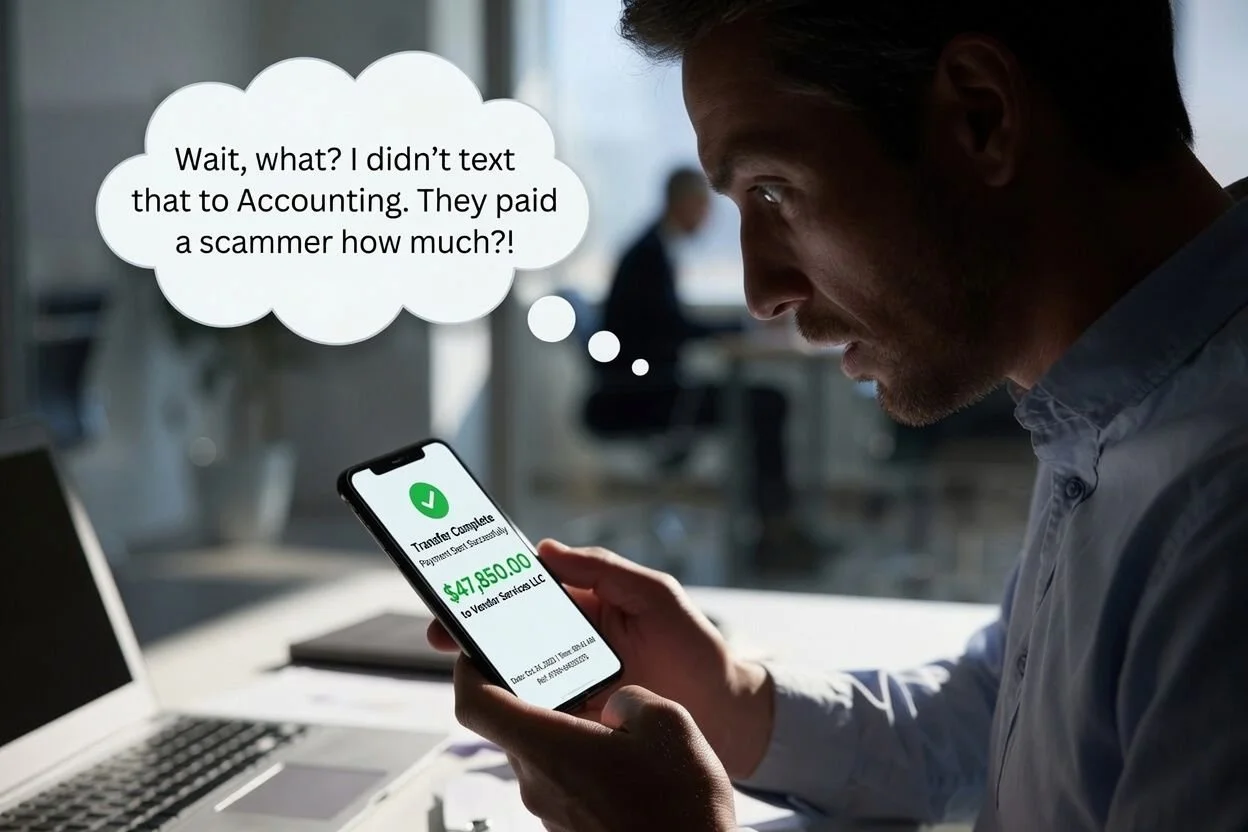
Picture a normal Tuesday afternoon. Your bookkeeper opens an email that appears to come straight from you, the owner. It uses your name, mirrors your writing style, and may even carry your real signature block. The message is friendly but urgent: please push through a wire to a new vendor before the bank closes, and keep it quiet because you are tied up in a meeting. Or a project manager gets a text that looks like it is from a coworker in accounting, asking for a quick hand with a login. Nothing feels off. That is exactly the point. By the time anyone notices, the money has moved or an account has been handed over.

This is not a rare or exotic threat. Attacks that impersonate a business owner or an employee are among the most common and most expensive problems facing companies today, and they are aimed squarely at small and mid-sized businesses like the ones we serve across the Gulf Coast. Below is a plain-language look at how these attacks work, who is behind them, what they are really after, and how Cyclone 365 keeps them from reaching your team.

What these attacks actually look like

Most impersonation fraud shows up in one of three forms:

  • Phishing casts a wide net. Attackers send large batches of generic messages hoping a small percentage of people click a malicious link, open a booby-trapped attachment, or hand over a password on a fake login page.

  • Spearphishing is the targeted version. Instead of blasting thousands of strangers, the attacker researches your company, learns names and roles from your website and social media, and crafts a message aimed at one specific person. These are the emails that "sound right" because the sender did their homework.

  • Smishing is phishing delivered by text message. Because people tend to trust texts and read them quickly on a small screen, a spoofed message that appears to come from a manager, a delivery service, or a bank often gets a faster, less careful response than an email would.

The impersonation layer is what makes these so effective. When an attacker successfully poses as the owner or a trusted colleague, the request no longer looks like a scam. It looks like your boss asking for a favor. Security professionals call the business-focused version of this “business email compromise” or BEC, and it frequently takes the shape of "CEO fraud," where a message purporting to come from leadership pressures a staff member to move money or share sensitive information.

Why Gulf Coast businesses are prime targets

It is tempting to assume criminals only chase large corporations. The opposite is true. Smaller organizations are attractive precisely because they tend to run leaner. Approval for a payment may rest with one or two people. Wire transfers to vendors and suppliers are routine. Staff often wear multiple hats and move fast. And formal verification steps, the kind that would catch a fraudulent request, are not always in place. Attackers understand this, and they know that a well-timed, convincing message to the right employee can bypass technology entirely by exploiting ordinary trust and a busy workday.

The real cost of getting fooled

The numbers are sobering. According to the FBI's Internet Crime Complaint Center, reported losses from cybercrime in the United States reached a record 16.6 billion dollars in 2024, up roughly 33 percent from the year before. Business email compromise accounted for about 2.77 billion dollars of that total across more than 21,000 reported incidents, and cumulative BEC losses have climbed to roughly 17.1 billion dollars since the FBI began tracking the category in 2015. Phishing and spoofing were the single most reported type of crime, with more than 193,000 complaints, and the average reported loss per incident rose to about $19,372.

Text-based scams are surging alongside email. The Federal Trade Commission reported that Americans lost around 470 million dollars to text-message scams in 2024, roughly five times the total from just a few years earlier. And these attacks are widespread rather than occasional: an industry survey by the Association for Financial Professionals found that 63 percent of organizations faced business email compromise attempts in the prior year.

The tactics are also getting more convincing. In one widely reported case, a finance employee was tricked into transferring roughly 25 million dollars after joining a video call with people who appeared to be senior company executives. They were not real. The faces and voices were generated with artificial intelligence. That level of deception was rare a few years ago. It is not rare anymore.

Who is behind these campaigns

These are not bored teenagers. The bulk of business email compromise is run by organized, transnational criminal groups. Law enforcement agencies including the FBI and INTERPOL have traced large volumes of this fraud to syndicates operating out of West Africa, notably networks such as the Black Axe confraternity, along with crews based in Eastern Europe and elsewhere. Researchers have named specific outfits over the years, including groups tied to Nigeria and a Russia-based operation known as Cosmic Lynx. On the text-message side, much of the recent flood of scam texts, including the "unpaid toll" wave that hit phones nationwide, has been linked to China-based criminal networks that rent out ready-made phishing kits to other fraudsters.

Two things make this ecosystem especially dangerous. First, phishing has become a service you can buy. Criminals no longer need technical skill because polished attack kits, fake login pages, and target lists are available for a fee, which lowers the barrier to entry dramatically. Second, these groups do their research. They pull names, titles, vendor relationships, and writing samples from data breaches, social media, and your own public materials, then use that detail to make impersonation messages look authentic.

What they are really after

The disguise is only the means. The goal is almost always one of the following:

  • Stealing money directly, usually by redirecting a wire transfer, altering the bank details on a legitimate invoice, diverting an employee's payroll deposit, or pushing an "urgent" payment to a new account.

  • Harvesting credentials, meaning your employees' usernames and passwords, so the attacker can log in as a trusted insider and operate from inside your systems.

  • Exfiltrating data, including client financial records, tax information, contracts, and other sensitive files that can be sold, ransomed, or used to fuel the next attack.

  • Turning your trust against your network, by using a compromised account to defraud your vendors, partners, and customers. A message that genuinely comes from your real email address is far more likely to succeed, which can spread the damage and the reputational harm well beyond your own walls.

In short, a single convincing message can lead to drained accounts, stolen data, and a chain of secondary victims who trusted your company's name.

How Cyclone 365 protects you

Because these attacks blend technology and human psychology, the defense has to work on both fronts. That layered approach is the core of what we do, built on the same globally-renowned enterprise-class security trusted by demanding organizations and tuned to the realities of a working business.

On the technology side, we strengthen phishing detection so that messages pretending to come from people your team trusts are caught before they land, using advanced threat protection across your email environment. We lock down accounts with multi-factor authentication, single sign-on, and conditional access rules, so a stolen password alone is not enough to get in, and access is only granted from secure, approved devices. We monitor your cloud applications for the telltale signs of a takeover, such as sign-ins from countries you never do business in, "impossible travel" between distant locations in minutes, and other unusual login behavior. We apply data protection controls through Microsoft Purview to keep sensitive information from leaving your organization through unsecured channels, and we watch for internal red flags like unusual bulk downloads or deletions. Company devices are encrypted, and when an employee leaves, we can remove company data quickly and cleanly so it does not walk out the door.

On the human side, technology is only part of the answer, because the most convincing attacks are designed to trick a person rather than a machine. We provide security awareness training for your entire team so employees learn to recognize impersonation attempts, pause on urgent money requests, and verify through a second channel before acting. We also help you put simple verification habits in place, so a "quick wire from the boss" always gets a real-world confirmation first.

Finally, we treat security as an ongoing relationship rather than a one-time setup. There’s no such thing as “we’re secure now, so now we don’t need any more services”. We continuously monitor and patch your servers and network, we work to raise your Secure Score well above the global average, and we sit down with you for regular strategy reviews so your defenses keep pace as the threats evolve.

The bottom line

The email or text that looks like it came from you is one of the most effective weapons criminals have, and it is getting more sophisticated every year. The good news is that a well-designed, layered defense stops the vast majority of these attacks before they ever reach a decision-maker, and gives your people the training to catch the rest. With our team having more than 25 years of experience protecting businesses on the Gulf Coast, that is exactly what Cyclone 365 delivers.

If you would like to know how exposed your business is today, reach out for a free consultation. Click to Call or Email us today!

Five-Minute Browser Extension Security Check

Browser extensions have a reputation for being harmless. A quick install, a small productivity boost, a friendly helper sitting in your toolbar. In practice, an extension behaves much more like a software vendor operating inside your browser session. It can see what you see, interact with the pages you open, and sometimes reach the very cloud apps your business relies on all day. That is exactly why a browser extension security check deserves a spot in your routine. Not because every extension is dangerous, but because it only takes one over-permissioned add-on, or one bad update, to turn a helpful tool into real exposure. The reassuring part is that you do not need a lengthy policy to stay ahead of it. A simple five-minute check can prevent most problems before they start.

Extensions matter because they live in the most sensitive place in modern work, the browser tab where your team spends the entire day. They are granted special permissions inside the browser, which gives them leverage far greater than their small footprint suggests. Security groups such as OWASP flag permission overreach as a core problem, because extensions often request far more access than they need, sometimes reaching every tab, your browsing history, and sensitive information typed into forms. When an extension can read and change what happens in the browser, it can potentially view data in your cloud tools, capture what people type, or quietly alter a page. It is also a risk that shifts over time, since a useful extension today can become a very different one after tomorrow's update.

The review itself is meant to be fast, repeatable, and realistic, so your team can make safe decisions in minutes without turning every install into an IT ticket. Start by vetting the developer like a real vendor. If you would not hand a random supplier access to your customer records, do not hand a random extension access to your browser. Look for a genuine website, real support details, and a consistent name across listings, and lean toward official stores rather than loose download links. Next, read the store description like a contract. A trustworthy listing explains clearly what the extension does and why it needs the access it requests, so be wary of any hint of tracking, analytics, or data sharing that has nothing to do with the core feature.

Then run a permission sanity check, because permissions are the whole game. Microsoft's policies for Edge add-ons make the standard plain: an extension should request only the permissions it truly needs to function, and asking for extra access to future-proof itself is not allowed. For every permission, ask whether it actually matches the feature. If it does not, treat that as a red flag, and be especially cautious about anything that effectively means read and change everything you do online. Do not overlook update and change risk, either. Extensions are not static, and updates can expand what they are able to do. If an add-on suddenly asks for new permissions you cannot justify, uninstalling is usually the safer move, and sudden feature shifts deserve the same pause.

Finally, decide with a simple rule: approve, avoid, or escalate. Approve when the vendor is credible, the purpose is clear, and permissions are tight. Avoid when the extension is vague, over-permissioned, or wants access it cannot explain. Escalate the genuinely useful tools that touch sensitive systems, hand them to IT for review, and add the approved ones to an allowlist. Extensions are not the enemy. Unvetted extensions are. A short, consistent check turns installs from impulse decisions into clear standards, so the tools inside your browser have a real purpose, tight permissions, and a vendor you would actually trust. For businesses across the Gulf Coast, that kind of everyday discipline is what keeps small risks from becoming expensive ones, and it is the sort of practical security work Cyclone 365 helps local teams put in place. Reduce extension sprawl, treat permission changes as a warning sign, and make the safe path the default with an approved list and browser-level controls.

Ready to see what is really running in your team's browsers? Contact Cyclone 365 to schedule a security audit. Click to Call or Email us today!

We provide IT support and services in and around these areas:

Mobile, AL Pensacola, FL Pascagoula, MS
Daphne, AL Fort Walton Beach, FL Gautier, MS
Fairhope, AL Destin, FL Ocean Springs, MS
Foley, AL Panama City, FL Biloxi, MS
Gulf Shores, AL Tallahassee, FL Gulfport, MS
Orange Beach, AL Lake City, FL Pass Christian, MS

★ Copyright © MMXXI. All rights reserved. ★