
Guest Wi-Fi Should Never Touch Your Business Network
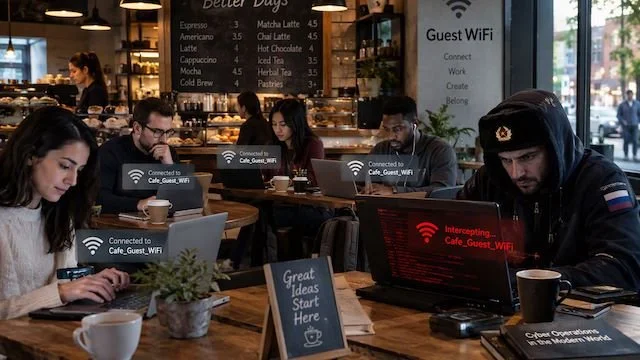
Offering Wi-Fi to customers, contractors, and visitors is just good hospitality. But the phones and laptops those people carry should never share a network with your business computers, printers, security cameras, servers, and file storage.
Even when you trust the person, you do not control their device. You have no idea whether it has current security updates, whether it is carrying malware, or who else has been using it.
A properly configured guest network gives visitors internet access while blocking their devices from reaching anything on your internal network. That includes business computers and servers, network printers, file storage and backup devices, security cameras, building access systems, and your router’s management pages. Both networks can share the same internet connection. The separation happens inside your router, firewall, switches, and wireless access points.
A different Wi-Fi name does not mean the networks are separated. Those names are called SSIDs, and a second SSID proves nothing on its own. The settings behind it have to place guest devices on their own network and block them from reaching private addresses. Business equipment typically handles this with a separate virtual network, known as a VLAN, paired with firewall rules. Some small-business routers do it automatically when guest mode is turned on, and some do not. Look for settings labeled guest network, network isolation, deny local network access, client isolation, VLAN, or guest firewall rules.
Guest devices should also be blocked from talking to each other. This is called client isolation, and it is a separate control from business-network separation. One keeps visitors away from each other. The other keeps visitors away from you. A business guest network should use both.
Personal phones and laptops that only need internet access belong on the guest network. If employees use personal devices to reach company files or applications, you need a clear bring-your-own-device policy covering security software, device management, encryption, and access rules. Smart TVs, speakers, thermostats, and digital displays usually belong on a restricted network too, since they need the internet but have no business reaching your computers.
Here is what to verify. Confirm that managed equipment is on the business network and everything else is on the guest network. Confirm that guest devices cannot reach printers, storage, cameras, servers, or management pages. Enable client isolation if your equipment supports it. Use WPA3 where available, or WPA2 when it is not, with a guest password that is different from your business password. Keep firmware current, replace default administrator credentials, and retire equipment that no longer receives security updates.
Most small businesses along the Gulf Coast do not need a second internet connection for visitors. A capable business router or firewall can keep both networks separate on a single line, and you can cap guest bandwidth so visitor traffic does not slow down your team. Older consumer routers are the common exception, since many offer a guest option with very little control over what guests can actually reach.
Finally, keep the guest password separate and change it when too many people know it, after a large event, or when a contractor no longer needs access. The password controls who connects. It does not replace network separation.
If you are not certain your guest Wi-Fi is truly isolated, Cyclone 365 can test the configuration and tell you exactly what visitor devices can reach. Call or Email us today!