
Audit Your Permissions Before You Turn On Microsoft 365 Copilot
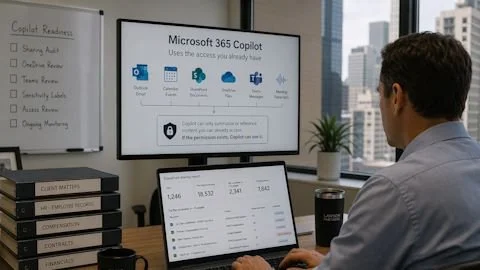
Microsoft 365 Copilot does not create new access to your data. It uses the access each user already has. That sounds reassuring until you look closely at what those permissions actually cover, because in most tenants access has been accumulating quietly for years.
Copilot retrieves information through Microsoft Graph, pulling from emails, calendar items, SharePoint documents, OneDrive files, Teams messages, and meeting transcripts that the signed-in user is authorized to see. Microsoft's own documentation is clear that Copilot can only summarize or reference content the user can already reach. That statement is accurate, and it is also exactly where the risk lives. The real question is whether each person's permission set still matches what you think it covers.
Why permissions drift
For a manufacturer or a trades business, most of what sits in Microsoft 365 is operational. Inventory records, production schedules, supplier contracts. Some of it is sensitive, but the fallout is usually contained if the wrong employee opens a file.
At a professional services firm, the files are the product. Client matters, settlement figures, fee arrangements, deal terms, and employment records are the deliverable, and confidentiality is the business model. Yet those files often live in environments that were never properly scoped.
The pattern is familiar. Someone gets access for a single matter, the matter closes, and the access is never removed. Multiply that across five years of staff changes, project onboarding, ad-hoc Teams channels, and external sharing links that never expired. If the permission exists, Copilot can use it, regardless of whether it was appropriate in the first place.
What that looks like in practice
A question as simple as "what deals are we working on" can pull together data room content that was never closed, pipeline trackers shared once for a partner meeting, and prospect lists in a Teams channel that outgrew its original membership. A search for a former employee's name can surface the termination memo, the severance calculation, and the performance review that preceded the exit. A question about compensation can return a spreadsheet HR shared with a hiring manager two years ago.
Nobody has to go looking with bad intent. Copilot simply answers the question with everything it is permitted to reach.
Small pilots are rarely as contained as they look
A limited trial feels like the safe middle ground, but most firms staff pilots with senior people, and senior people have the broadest access in the organization. That produces the highest-risk version of the test, not the lowest. Licenses also drift, getting reassigned to whoever asked most recently rather than whoever has the most appropriate access profile. Audit logs will tell you what was asked afterward, but a Copilot summary cannot be recalled once it has been returned.
The work that comes first
Microsoft publishes a deployment blueprint built around three pillars, and remediating oversharing sits first for a reason. The practical cleanup involves a SharePoint sharing audit to surface oversharing patterns and inactive sites, a review of OneDrive files still shared externally, a Teams membership review to confirm channels still reflect who belongs in them, and Microsoft Purview sensitivity labels applied to confidential material. Without labels, Copilot has no way to distinguish a client settlement document from a catering invoice.
For a firm in the 25 to 100 person range, this typically takes four to eight weeks. Much of it your IT partner can handle. The judgment calls, like which document categories deserve which label, are best made with input from the owners and partners who understand the material.
One question worth sending today
Ask whoever manages your Microsoft 365 environment for a report of every file accessible to more than ten people, flagged for client names, salary figures, or financial data. A useful answer within a few days means your tenant has been actively managed. An answer that starts with "we would need to enable some things first" tells you the sharing reports have never been run, and that is your real Copilot readiness assessment.
Cyclone 365 works with professional services firms across the Gulf Coast to audit tenant permissions, remediate oversharing, and apply the labeling and Data Loss Prevention policies that make Copilot safe to deploy. Get the environment right first, and the AI investment actually pays off. Call or Email us today!