
Five Microsoft 365 Settings Worth Checking in Older Tenants
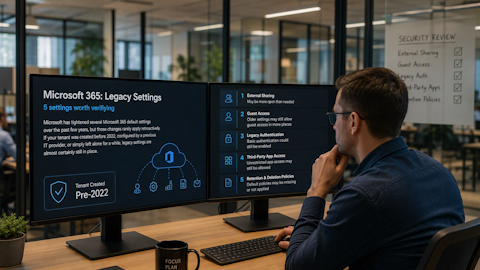
Microsoft has tightened several Microsoft 365 default settings over the past few years, but those changes rarely apply retroactively. If your tenant was created before 2022, configured by a previous IT provider, or simply left alone for a while, legacy settings are almost certainly still in place. Here are five worth verifying.
Default sharing links in SharePoint and OneDrive. Older tenants often default to "Anyone with the link," meaning any recipient can open a file without signing in, with no expiration and no record of who the URL was forwarded to. Newer Teams-created sites default to "Only people in your organization," but the tenant-level setting frequently still allows Anyone links. Switching the default to "Specific people" in the SharePoint admin center under Policies > Sharing forces authentication on every new link. Setting a maximum expiration for remaining Anyone links is a smart companion step. Roughly 15 minutes, with no impact on existing links until they are regenerated.
External email forwarding rules. Microsoft now blocks automatic forwarding to external addresses at the tenant level through the outbound spam policy. Rules created before that change can still be active, so a user who set up forwarding to a personal Gmail account years ago may still be exporting your data. In the Microsoft Defender portal, confirm the "Automatic forwarding rules" setting under your anti-spam outbound policy is set to Off or System-controlled, then audit existing inbox rules across your mailboxes. The Microsoft Purview audit log can surface inbox rule creation events.
Historical third-party app consents. A Microsoft-managed user consent policy arrived in July 2025, routing most third-party app requests to an admin for review. That change applies going forward only. Apps approved before the policy still hold whatever permissions they were granted, including access to mail, calendars, and files. Review them under Microsoft Entra ID > Enterprise Applications > All applications, sort by user consent, and revoke anything unrecognized or unused. Budget 30 to 60 minutes depending on how long the list is.
Audit log retention. As of October 2023, Audit (Standard) logs are retained for 180 days, up from 90. E5 licensing or the Purview Audit (Premium) add-on extends that to one year for Exchange, SharePoint, OneDrive, and Entra ID records. For Gulf Coast businesses in healthcare, financial services, or legal work, 180 days may fall well short of what HIPAA, the FTC Safeguards Rule, or state bar requirements assume you can produce. Retention policies live in the Microsoft Purview compliance portal under Audit > Audit retention policies.
MFA enforcement and Security Defaults. This is where older tenants are most often inconsistent. Tenants created before Security Defaults rolled out in late 2019 may have no baseline enforcement at all. There is also a common trap: when an admin enables a Conditional Access policy, Microsoft expects that policy to take over MFA enforcement and may switch Security Defaults off. A rushed transition can leave you with Security Defaults disabled and a Conditional Access policy that misses users. Check Security Defaults under Entra ID Properties, confirm a Conditional Access policy actively enforces MFA for all users including administrators, and pay close attention to break-glass accounts that may have been excluded and left unprotected.
A sensible order matters. Audit retention and the app consent review are silent to users, so start there. Verifying external forwarding comes next. The sharing default will generate questions from anyone used to clicking share and pasting a link, so communicate before you flip it. Save MFA and Conditional Access for last, since it carries the highest risk of locking people out.
A few caveats: some of these settings require Business Premium, E3, or E5 licensing, so a grayed-out toggle usually points to your license tier. None of them need to be changed all at once.
If you are not sure when your tenant was last reviewed, that is reason enough to look. Cyclone 365 works with businesses across the Gulf Coast to audit Microsoft 365 configurations, close the gaps that legacy settings leave behind, and keep tenants aligned with current security standards. Reach out and we will walk your environment with you. Call or Email us today!